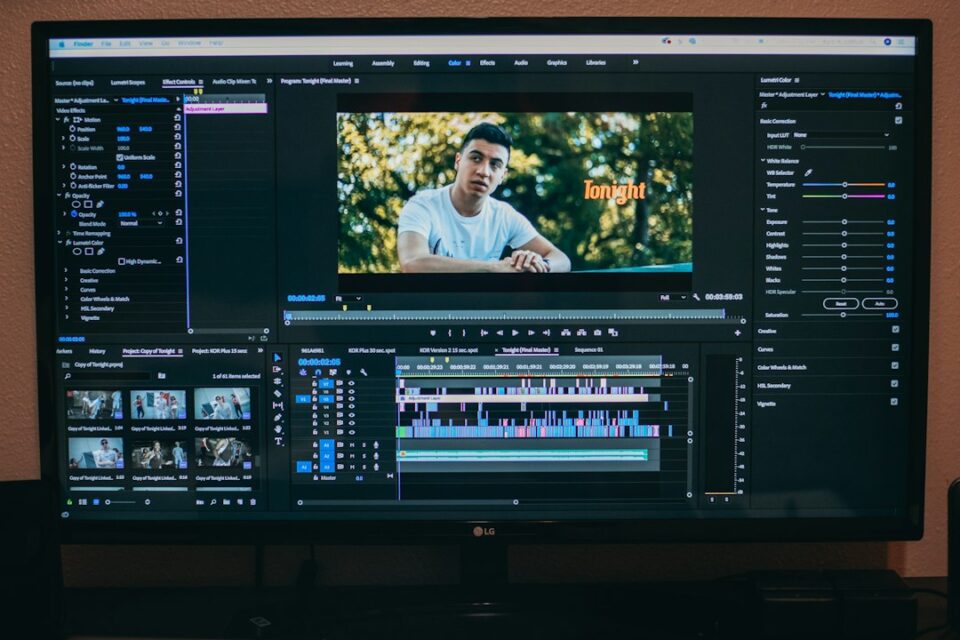
A clear video editing workflow turns scattered footage, notes, and deadlines into a repeatable path from brief to delivery. When you know the order of operations and keep simple checklists for each stage, you spend less time hunting files and more time on story. Whether you cut ads, explainers, documentaries, or a weekly social series, a dependable process lowers stress, helps collaborators stay aligned, and makes it easier to return to a project months later without relearning everything you did last time.
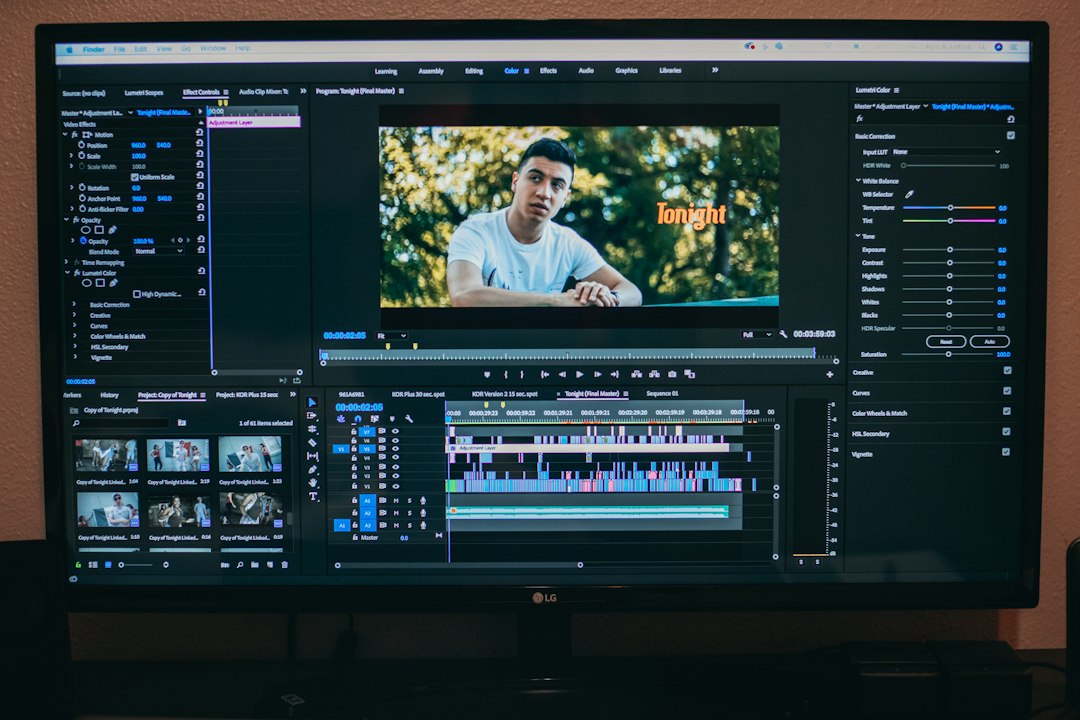
Why process matters in a video editing workflow
Editing is creative work, and creativity needs space. Paradoxically, the fastest way to create more space for ideas is to build enough structure that routine choices are automatic. Without structure, you lose time to preventable snags: missing assets, unknown camera settings, randomly named exports, broken fonts, and review rounds that wander without a shared definition of “done.” With structure, you capture requirements up front, make deliberate tradeoffs early, and keep timelines clean and legible. Your attention returns to the thing that matters most: how the story should feel to an audience at each moment.
Process also scales. A solo editor can adopt a light checklist and a tidy folder tree to avoid surprises. A small team can agree on naming rules, handoff formats, and a version scheme that avoids overwriting one another’s work. A larger team can set standards for color management, audio loudness, caption formatting, and approval windows so departments can work in parallel without guessing what the others will deliver. The virtue of a good workflow is not rigidity. It is clarity: everyone knows the next step, the exit criteria for each phase, and how decisions flow downstream.
Finally, process builds resilience. Projects evolve. Clients change priorities. Shoots run long. A calm workflow provides buffer when plans shift. If proxies are generated automatically, you can start cutting on a laptop while originals transfer. If sequences and exports are versioned consistently, you can roll back when feedback favors an earlier direction. If you document decisions, future you (or a new teammate) can re-open the job and understand choices in minutes rather than hours.
The video editing workflow at a glance
Most projects follow a similar backbone. You may loop back as you discover the cut, but this default path keeps you oriented and reduces decision fatigue:
- Clarify the brief, audience, and success criteria
- Map deliverables, schedule, and approvals
- Set up the project, folders, bins, and template sequences
- Ingest and verify media; generate proxies or mezzanine files
- Assemble a content-first cut and confirm structure
- Refine story, pacing, and transitions with focused passes
- Audio pass: dialogue cleanup, SFX, music, and loudness
- Color pass: management, balancing, matching, and look
- Graphics, captions, and accessibility checks
- Export masters and platform versions with specs
- Quality control on renders, delivery, and backups
- Archive with notes for future reuse
Treat this list like a map. Each stop has a small checklist. When time is tight, the checklists keep you honest. When teams collaborate, they keep everyone speaking the same language and reduce the odds of last‑minute surprises.
Pre‑production choices that simplify post
Strong post begins before the first card is formatted. A handful of upstream decisions can rescue days later. Think through these items before you hit record, and write them down in a one‑page memo that lives in your project’s 01_ADMIN folder:
- Audience and intent: Who will watch this, and what do they already know? What should they understand, feel, or do by the end? Capture one sentence for “promise” and another for “proof.”
- Deliverables: List durations, aspect ratios (16:9, 9:16, 1:1), resolutions, and platforms. Confirm whether you need cutdowns, teasers, language variants, burned‑in subs, or text‑free versions for localization.
- Frame rate and shutter: Agree on base frame rate (23.976/24/25/29.97/30/50/60) and typical shutter angles. Mixed rates cause headaches; when unavoidable, define the timeline rate early.
- Color and dynamic range: Choose SDR or HDR delivery. Document camera color spaces (Log flavors, RAW, HLG, PQ) and whether you’ll grade in a color‑managed environment (ACES, DaVinci Resolve Color Management) or with per‑camera transforms.
- Audio capture plan: Decide on dual‑system sound or camera scratch + sync later. Name WAVs with scene, take, and mic info. Record 30 seconds of room tone per location and capture wild lines if dialogue is noisy.
- Legal and brand: Secure releases, music licensing assumptions, logo usage rules, and mandatory brand elements. Put fonts, logo packs, and any DO/DON’T examples in 02_MEDIA/GRAPHICS.
- Approvals: Who signs off on rough, fine, and lock? How long does each round last? Confirm an escalation path for tie‑breakers and a handshake on what “picture lock” means in this project.
- Calendar buffers: Work backward from launch and add buffers for VO records, animation, localization, and platform checks. Invisible buffers save the schedule when something slips.
Make the memo visible. Share it with stakeholders, the producer, the colorist, the mixer, and anyone else touching the job. Treat it as the contract for what you will deliver and how you will work. When scope grows mid‑project, refer back to the memo and either re‑prioritize or add time and budget with clear intent.
Project setup, folder architecture, and asset naming
A predictable structure reduces mistakes and makes collaboration less fragile. Mirror the same logic in your operating system folders and your NLE bins so nothing feels foreign when you switch between them. A durable layout looks like this:
ProjectName/
  01_ADMIN/briefs_schedules_approvals
  02_MEDIA/
    VIDEO/CameraA/CameraB/ScreenRecords
    AUDIO/Production/VO/Music/SFX
    GRAPHICS/Logos/Templates/LowerThirds
  03_PROJECT/NLE_Project_Files
  04_EXPORTS/Review/Finals/Mezzanine
  05_DELIVERABLES/Platform_Renders
  06_ARCHIVE/Checksums_Notes
Inside your NLE, reflect that order with bins: V_CamA, V_CamB, A_Dialogue, A_Music, A_SFX, GFX, SEQUENCES. Create a “WORKING” sequence for experiments, a “MASTER” sequence for anything shared, and template sequences for common deliverables (for example, “YT_1080p_23.976_Rec709” and “IG_Reel_1080x1920_29.97”).
Naming rules add sanity. Use Client_Project_ShortDesc_v001 for sequences and exports, and increment versions only when you publish a new cut for review. For source, rename camera folders into rolls (A001, A002) but keep camera filenames intact to simplify relinking. For audio, name files Scene_Take_Mic.wav and keep sample rates consistent across devices to avoid drift. If your NLE supports markers, use color‑coded markers for beats, problems, and pull‑quotes during your first viewing pass. Your future self will thank you when you start rearranging acts.
Decide where caches live. Point renders and cache files to a fast SSD with plenty of headroom (30–40% free). On teams, set cache directories per user to avoid accidental clobbering. Back up the project file separately and often. Consider daily rolling backups saved to a synced folder so you can step back a day if a project file becomes corrupt.
Ingest, backups, proxies, and performance tuning
Media trouble discovered late is costly. Ingest carefully, verify, and make playback smooth so editorial is about choices, not stutters. A reliable ingest routine looked at step by step:
- Checksum copies: Use verification (xxHash, MD5) to clone cards to primary and secondary storage. Keep a lightweight ingest log with date, roll, size, and who copied it.
- Preserve structure: Copy full card hierarchies to 02_MEDIA/VIDEO so spanned clips and metadata stay intact. Only flatten when you know the NLE doesn’t require that structure.
- Proxy vs mezzanine: Long‑GOP 4K/8K, high‑bit‑depth log, or multicam projects often benefit from proxies (ProRes Proxy, DNxHR LB). If quality checks make you nervous, use mezzanine transcodes (ProRes 422, DNxHR SQ) for editorial and conform at finish.
- Sync and metadata: If you recorded timecode, confirm timecode and frame rate match across camera and audio. Otherwise, slate or clap for waveform sync and note overlaps in an ingest sheet.
- Performance pass: Match sequence resolution and frame rate to delivery when possible. Enable GPU acceleration, and keep drivers stable during a project. Disable heavy effects stacks or motion blur while rough cutting to keep the timeline responsive.
- 3‑2‑1 safety: Keep three copies on two types of media, with one offsite or cloud‑synced. For small shops, an external SSD plus a NAS and a cloud backup app is typically enough. For large jobs or long retention, ask about LTO or cold storage.
Two quick wins dramatically improve day‑to‑day speed. First, generate audio‑only waveforms and conform proxies before you start assembling scenes; don’t wait for your NLE to do it on the fly. Second, build a few system presets: one that optimizes the NLE for snappy editorial (lower playback resolution, proxies), and one that optimizes for finishing (full res, effects enabled, scopes visible). That single toggle keeps your brain on story instead of fiddling.
Story assembly, selects, and pacing fundamentals
The assembly cut reveals the truth of what you shot. Keep it content‑first. Trim later. A practical cadence looks like this:
- Log once, use twice: During your first watch, mark performance peaks, clean readings, cutaways, and b‑roll you know you’ll need to bridge gaps. Add short notes, not essays.
- Lay the spine: Create act cards or section markers. For each segment, write the job it must accomplish: set context, deliver a fact, land a laugh, teach a step, earn an emotion.
- Build a radio cut: For talking‑head pieces, edit the narrative purely as audio first. Then rebuild picture on top with cutaways, motion, and rhythm that complement the voice track.
- Use J and L cuts: Overlap audio and picture. Lead with audio to prime the eye for the next shot, lag with audio to smooth transitions and sustain momentum.
- Park ideas, don’t delete: Create a disabled “PARKING LOT” track and move strong moments there instead of trashing them. Good lines often find a home later.
Watch with fresh eyes and a single intention. One pass might focus only on clarity: Is the message obvious? Do we repeat ourselves? Another pass focuses on movement: Does each 10 seconds make me curious about the next 10? When in doubt, shorten the setup and push toward the moment that matters. For instructional content, cut to the action fast. For brand films, keep emotion centered and let information ride shotgun.
When you share v001, steer feedback. Ask for reactions to structure and intent, not typefaces or micro‑timing. Provide a short change log and one or two questions (“Does Act 2 feel long?” “Is the call to action clear?”). Framed this way, reviewers answer the right questions and you avoid rounds that focus on the low‑stakes details too early.
Audio pass: dialogue, music, SFX, and loudness
Viewers forgive a shaky shot faster than muffled speech. A clean, intentional soundscape raises perceived quality dramatically, even on phone speakers. Work category by category, and keep a reference meter visible while you mix.
- Dialogue clarity: Remove low hums and distractions with narrow EQ cuts. Add high‑pass filters where rumbles creep in. Fix plosives with short fades or spectral repairs. Use gentle noise reduction when needed and favor intelligibility over absolute silence.
- Levels and dynamics: Aim dialogue around the platform’s common integrated loudness target (a frequent range is −20 to −14 LUFS). Keep true peaks within delivery guidance (often at or below −1 dBTP for web). Avoid heavy bus compression that pumps under speech unless you want the effect.
- Ambience and SFX: Support place and emotion with bed tracks, subtle risers, and detail hits. Use room tone to hide edit seams. Keep SFX ducked under speech and shaped with short fades so they feel woven into the scene, not pasted on top.
- Music choices: Select tracks for pacing and contrast. If dialogue is dense, prefer minimal arrangements with less harmonic clutter. Duck music under speech with automation or sidechain compression so words remain crisp.
- Bus routing and stems: Route DX, MX, and SFX to dedicated buses, with a master limiter catching stray peaks. When a mixer joins later, deliver clean stems with handles, labeled with frame rate, sample rate, and any processing you applied.
Test on multiple devices and environments: good headphones, laptop speakers, a phone in a noisy room, a TV soundbar. Walk away for five minutes and re‑check sibilance, mud, and transient sharpness with fresh ears. Keep a short “ear fatigue” checklist so you remember to spot issues that creep in when you’ve looped one scene too many times.
Color management, grading, and monitor sanity checks
Color gets easier when you control transforms and expectations from day one. If you shot Log or RAW, decide how you will view and deliver before you start grading. Two reliable paths exist: color‑managed timelines (Resolve Color Management, ACES) or per‑camera transforms (LUTs or Color Space Transform nodes) at the front of the grade.
- Set transforms first: Bring each camera into a consistent working space with transforms or a managed pipeline. That way, basic balance behaves predictably and you avoid chasing mismatched gammas.
- Balance before look: Correct exposure and white balance with scopes and a neutral reference. Only after a scene looks natural should you push contrast, saturation, or creative tints.
- Protect skin tones: Use qualifiers or power windows to maintain natural skin while you stylize the rest. Keep an eye on hue lines in the vectorscope and avoid oversaturating faces when chasing brand colors.
- Group and ripple: Grade a hero shot for each angle, group similar clips, and ripple corrections across the group. Tweak outliers afterward. This avoids micro‑tweaking identical angles twenty times.
- Output converts last: Keep the master grade in a stable space. If you need HDR and SDR outputs, render separate masters from that baseline and verify both paths with trusted references.
Monitoring habits prevent surprises. If you cannot calibrate displays, at least sanity‑check on a few common screens: a decent desktop monitor, a recent phone, and a laptop. Work in controlled ambient light and avoid UI themes that bias perception. Keep a small reference bin with brand‑approved frames or stills and compare regularly. If you’re matching archival and modern footage, lean on waveform scope shape and a consistent black level to tie eras together.
Graphics, captions, accessibility, and brand consistency
Design choices are part of the message. A small set of templates and a few strict rules eliminate avoidable churn late in the process.
- Style guide: Document fonts, sizes, line spacing, safe margins, and title card timing. Build motion templates if your tool supports them and include them in 02_MEDIA/GRAPHICS/Templates.
- Brand assets: Keep logo packs, key art, icon sets, and color references in one place. If you’re matching a brand’s palette, drop their swatches into your NLE or grading tool so you’re not guessing hex values by eye.
- Captioning basics: Many viewers watch with sound off. Create sidecar captions (SRT, VTT). Check line length, reading speed, line breaks, and placement so they don’t collide with lower thirds. Preview on small screens to confirm readability.
- Contrast and legibility: Verify minimum sizes and color contrast. Add subtle boxes or shadows behind text placed over busy footage. If you publish globally, keep a text‑free version of complex motion graphics so localized text can be swapped later without rebuilding animation.
- Thumbnails and covers: Design high‑contrast thumbnails that communicate at a glance. Use a short phrase or a single focal image. Keep alt text descriptive when platforms support it to improve accessibility.
Templatize the essentials: openers, lower thirds, section cards, disclaimers, and end screens. For series work, store these as version‑controlled files with dates, so teammates know which template is current. A tiny library of reliable components saves hours across a season.
Export, delivery, QC, and archiving
Exports are products, not afterthoughts. Decide which masters you will keep long‑term and which delivery formats you need for each platform. Establish a universal file‑naming pattern that survives email threads, third‑party review tools, and handoffs between departments.
- Master mezzanine: Render a high‑quality intraframe master (ProRes 422 HQ, ProRes 4444 for alpha, or DNxHR HQX) at native resolution and frame rate with 24‑bit 48 kHz audio. This is your source for platform derivatives and the file you keep in the archive.
- Platform renders: Use H.264 or H.265 at appropriate bitrates. Examples: YouTube 1080p often looks solid between 12–16 Mbps; 4K can run higher. For Instagram Reels or TikTok, render 1080×1920 at the platform frame rate with stereo audio. Follow each platform’s current guidance.
- Captions and audio: Provide sidecar SRT/VTT and separate audio stems if requested. Some platforms prefer separate “music and effects” stems for localization.
- Naming scheme: Client_Project_Deliverable_v###_Date.ext. Keep version numbers for review cycles and dates for deliveries. Avoid spaces and special characters that break links.
Quality control your files, not only your timeline. Open the rendered file in a different player to catch color or gamma differences. Scrub the first and last seconds for flash frames, extra handles, or cut‑off tails. Check loudness and true peaks on the file itself, not only in the NLE. Zoom to 100% to spot oversharpening, scaling artifacts, or aliasing. Play the file on a phone over cellular to sense how it holds up in less‑than‑ideal conditions.
Archive intentionally. Save the NLE project file, master exports, essential assets (fonts, logos, LUTs), and a text file of notes that documents software versions, plugins, handoffs, and any special steps required to re‑open the job. If the project belongs to a series, include a README with a map to episodes, cutdowns, and language versions. A 15‑minute archive pass pays for itself the first time someone asks for a re‑export six months later.
Collaboration, review rounds, and version control
Editing is collaboration disguised as solitary work. A few simple habits help teams move quickly without stepping on each other.
- Version discipline: Increment versions only when sharing with others. If multiple editors publish versions on the same day, add initials or roles (for example, Client_Spot30_v014_AB). Keep a short change log in the email or review link so feedback arrives on the right topics.
- Review tools: Use time‑coded, frame‑accurate tools for comments. Encourage consolidated notes per round from each stakeholder instead of trickle feedback that contradicts itself.
- Picture lock means lock: Once picture locks, resist changes to shot selection and duration unless explicitly agreed. Even tiny picture changes ripple into audio, color, captions, and graphics, hurting schedules and budgets.
- Interchange basics: For sound or color handoffs, simplify timelines. Remove fragile temp effects. Render exotic plugins to baked clips with handles. Export AAF/EDL/XML as requested. Label everything with frame rate and sample rate.
- Remote etiquette: Define “working agreements” at kickoff: who ingests dailies, when proxies are ready, how long review windows last, and what green‑lights the next step. Place the agreements in 01_ADMIN so new teammates can ramp quickly.
When teams work from different locations or time zones, treat communication like an asset. Record short screen‑capture clips to explain complex timeline changes. Capture decisions in a living doc that everyone can reference. The cost of documenting once is far lower than the cost of clarifying the same question five times.
Automation, templates, and continuous improvement
Automation frees attention for storytelling. You do not need an elaborate pipeline to benefit from small helpers; a handful of presets and watch folders compound every week.
- Keyboard maps: Move your most used trim, ripple, and navigation commands under your strongest fingers. If you reach for a menu item more than twice a day, map it. Consider a macro pad for routines like “normalize, fade, add marker.”
- Watch folders: Auto‑transcode screen records or phone footage to a friendly codec and naming pattern as they land. Create a watch folder for voicemails or VO takes so they appear in your A_Dialogue bin tagged and ready.
- Speech‑to‑text: Generate transcripts to speed selects and first caption drafts. Proofread before delivery. For interviews, search the transcript for concepts and build selects fast without listening to the whole take again.
- Smart bins: Use metadata queries (camera, lens, scene) to assemble bins automatically. Combine with shot detection to split long takes into sub‑clips you can skim.
- Preset library: Save export presets matched to client specs, base grading transforms for common cameras, and dialogue EQ/de‑ess chains you trust. Version presets with dates and retire ones you never use to keep the set lean.
Close each project with a quick retro. What slowed you down? What saved you? Update checklists and templates accordingly. Improvement usually arrives as a string of tiny, boring tweaks, not as a single massive overhaul. The shops that iterate after every delivery are the ones that feel calmer a year from now.
Troubleshooting common snags and edge cases
Every editor runs into stubborn timeline problems. A small diagnostic routine keeps issues contained and saves long nights near deadlines.
- Mixed frame rates: If cadence looks jittery, confirm your sequence rate and how your NLE interprets each clip (conform vs. interpret). For action‑heavy moments, consider speed‑ramping or motion blur rather than hard cuts between clashing cadences.
- Audio drift: When long takes drift out of sync, check that all sources share sample rates. Resample outliers. If you must cut by hand, add regular sync checks and lock small groups so shifts do not cascade.
- Proxy confusion: If shots look washed out with proxies, revisit color management. Some NLEs bake color transforms differently in proxies. Regenerate proxies using the same transforms applied in editorial space.
- Banding and artifacts: In gradients, add subtle noise or dither. Raise bitrates for gradients with heavy compression. If banding appears only in a specific platform encode, alter the mezzanine master slightly—different noise floors can help the platform encoder behave.
- Flicker and led mismatch: Rolling shutter and LED lighting can create flicker lines. Specialized plugins help, but sometimes the fix is shot replacement, a tiny speed change, or selective blurs where the eye will not notice.
- Relinking nightmares: Keep a text file of original media paths. If relinking breaks, mirror the original folder structure, point your NLE at the top‑level folder, and relink in batches. Avoid renaming source clips between ingest and finish.
When a problem persists, duplicate the sequence and reduce it. Remove effects, isolate the offending area, and test renders at short sections. Narrow the variable set until the flaw reveals itself. A calm, methodical approach beats thrashing every time.
Maintaining an archive that pays you back
The project is done, but your work is not over until future access is easy. An archive is successful when a teammate with no context can find what they need and re‑export a variant within an hour.
- Save the source of truth: Keep the NLE project, the mezzanine master, caption files, and a PDF or text note with software versions, plugins, LUTs, and special steps to rebuild the timeline.
- Document structure: At the root of the archive, include a short README that explains the folder map, where to find cutdowns and language versions, and any quirks. If the project is one episode in a series, link to the series master index.
- Capture learnings: Add a 10‑line postmortem: what worked, what didn’t, and any client preferences caught late that should inform the next job. This tiny note will save future hours when you start the next project with the same team.
- Retention and handoff: Agree with the client on how long you will keep the project online vs. nearline vs. deep archive. If the client takes ownership of the archive, deliver it with checksums and a manifest so they can verify integrity when they restore.
When the archive routine is part of your workflow rather than a scramble at the end, you create a library of reusable parts. Footage you already licensed, sound motifs that fit the brand, lower‑thirds that just need text swaps—all of it becomes easier to reuse responsibly and quickly.
For more editing guides, templates, and practical walk‑throughs, explore resources at ePhoto‑Life. Adopt the steps in this article as a baseline, then mold them to your tools, your collaborators, and your taste. A workflow you trust makes the next deadline calmer and the next story stronger.