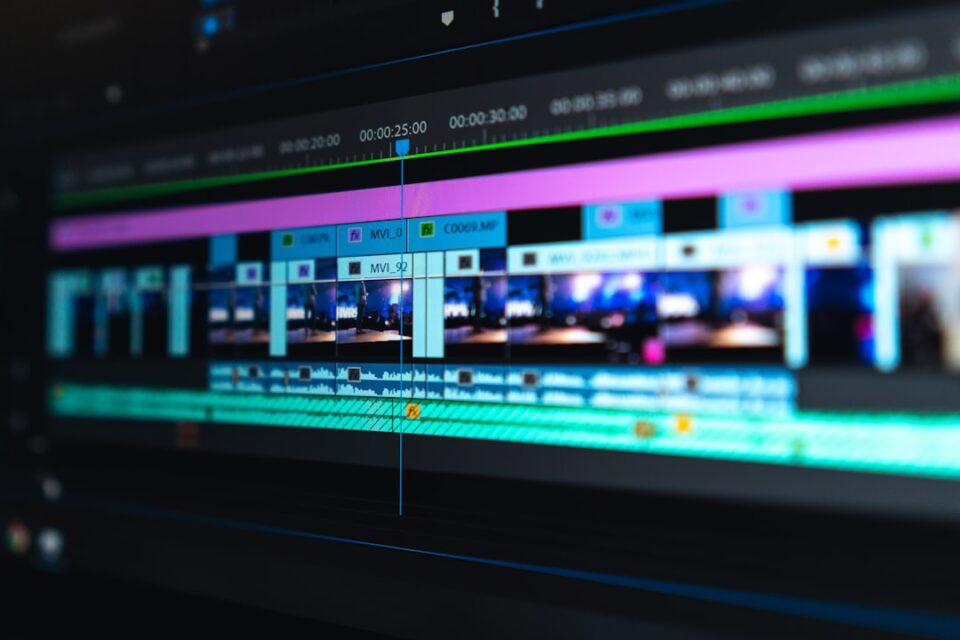
When I build a video editing workflow, I am not trying to make the edit fancy. I am trying to make it repeatable. That sounds boring until you have three deadlines stacked on top of each other, five folders full of random exports, and a half-finished timeline that nobody else can understand.
A good workflow is not a checklist for perfection. It is a way to move through a project without losing the story, the files, or your patience. It gives the edit a shape. It also gives you room to think about rhythm, pacing, and emotion instead of spending half the day hunting for the latest version.
In this guide, I want to show the version of a workflow that actually holds up in daily work. Not a theory. Not a template that only works for one kind of creator. A practical system you can adapt whether you cut short social clips, YouTube essays, branded content, course modules, or client deliverables. If you want a related planning reference, I keep one on ephoto-life.com, where the broader editorial library is organized for quick access.
Why a video editing workflow matters more than editing faster
Speed gets the attention, but structure protects the project. The editors who look fast are usually the ones who already made dozens of small decisions before they touched the timeline. They know where the footage lives, what the story is trying to do, and which files matter now versus later. That is why the work feels smooth from the outside.
Without a workflow, every project becomes a fresh puzzle. You import assets in a rush, rename a few things, and tell yourself you will clean it up later. Later arrives when the timeline is already messy. Then every small task becomes a search problem. Which file is final? Which cut is approved? Which audio take belongs to this sequence? The edit slows down because the project has no structure to lean on.
A workflow also lowers creative friction. When your folders, sequences, and review steps are predictable, your brain is free to focus on story choices. You can ask better questions. Does this opening land quickly enough? Does the middle need a breath? Does the ending feel earned? Those are the questions that improve the cut. The wrong questions are about file names, missing exports, and accidental overwrites.
It helps to think of the workflow as the invisible part of the edit. The audience never sees it, but they feel its effect. A clean workflow usually leads to cleaner pacing, fewer continuity errors, and less panic near delivery. A chaotic workflow can still produce a good video, but it usually costs more time, more energy, and more revisions than it should.
- It keeps assets easy to find.
- It makes review and revision clearer.
- It reduces avoidable mistakes at export time.
- It leaves more attention for pacing, clarity, and emotion.
The goal is not to over-engineer every project. The goal is to make the project easier to finish well.
What a good video editing workflow actually needs to solve
If a workflow is useful, it should answer a few basic problems before they turn into bigger ones. Where do files go? What is the story structure? How do revisions happen? Which version is current? If the workflow does not answer those questions, it is only decoration.
The first problem is file chaos. Footage comes from phones, cameras, screen recordings, music libraries, screen captures, graphics, and sometimes random voice notes. A workflow should turn that pile into a system with clear categories. The second problem is decision overload. Editors often try to perfect every shot too early. A good workflow delays deep polishing until the structure is solid.
The third problem is version confusion. Many edits stall because people do not know whether they are looking at the right cut. A workflow needs simple rules for sequence naming, export naming, and approval status. The fourth problem is revision drift. Feedback arrives from a client, a collaborator, or your own second thoughts. If there is no revision method, notes get scattered and the timeline keeps changing in circles.
That is why I like to think in stages. One stage for ingest and organization. One stage for story assembly. One stage for refinement. One stage for quality control. One stage for delivery. Each stage has a job. Each stage has a finish line. Once you know the job, you stop trying to do everything at once.
A useful workflow should also fit the kind of project you edit most often. A daily short-form creator needs speed and consistency. A documentary editor needs room for discovery. A client editor needs approval checkpoints. A course editor needs predictable chapter structure. The right workflow is not the one with the most steps. It is the one that matches the shape of the work.
When I judge a workflow, I ask three questions.
- Can I find any asset in under ten seconds?
- Can I tell what stage the project is in without opening it?
- Can someone else understand the current version without a long explanation?
If the answer is yes, the workflow is doing its job.
Build the project before you start cutting
Most editing problems start before the first clip lands on the timeline. The setup stage decides whether the rest of the project feels organized or fragile. This is where you create the container for the edit, and it matters more than most people admit.
Start with a clear folder structure. I like a simple hierarchy that separates raw footage, audio, graphics, exports, and project files. Inside the footage folder, group material by source or shoot day. Inside exports, separate review cuts from final outputs. Keep the logic simple enough that you can explain it to a teammate without a diagram. If the structure needs a long explanation, it is too complicated.
Rename important assets early. That does not mean renaming every camera file by hand. It means giving meaningful names to the things that will be reused: interview selects, music beds, motion graphics, and the project file itself. When an editor opens a folder and sees names like interview_selects, final_audio_mix, and review_v03, the project feels alive. When they see IMG_0034, export_9_final_final, and sequence_new_new2, the project is already slipping.
Set the timeline standards before you edit. Decide on frame rate, resolution, color space, and audio sample rate. Match those settings to the source material and delivery format. Changing these later is possible, but it wastes time and can introduce avoidable issues. A few minutes of setup saves you from weird playback problems, audio drift, or exports that do not match the platform requirements.
It also helps to create a short notes file inside the project folder. Put the brief, the deadline, the target runtime, and any style references there. When a project stretches over several days, this note becomes the anchor. It reminds you what the edit is supposed to do, not just what it happens to contain.
A clean start usually looks modest. That is the point. You are not building a museum archive. You are building a working environment where decisions can happen quickly.
- Keep raw files separate from exports.
- Use one naming rule for sequences and versions.
- Match technical settings before editing begins.
- Write down the brief in a place you will actually open.
Use a rough cut to find the story first
The rough cut is where the project becomes real. It is also where many editors get trapped. They spend too long on transitions, effects, and fine trimming before the story has enough shape to justify that effort. I try to resist that urge. A rough cut should feel slightly ugly if that is what it takes to move forward.
At this stage, I am looking for the skeleton. What is the opening idea? What is the middle doing? Where does the video turn? What image, line, or moment carries the final point? If I cannot answer those questions, I am not ready to polish anything.
One useful method is to cut with broad passes. First, assemble the strongest moments in order. Then remove everything that does not support the main point. After that, tighten the timing between the remaining clips. Only then do I start listening for micro-rhythm. That order matters because it keeps the edit focused on meaning before motion.
For interview-based videos, I like to mark the strongest quotes and then build around them. For tutorial content, I look for the shortest path from question to answer. For social videos, I look for the line that carries the emotional shift. Different formats need different kinds of story, but the rough cut always asks the same thing: does this piece already have a reason to exist?
Do not confuse roughness with sloppiness. A rough cut still needs basic clarity. The viewer should know what is happening, even if the graphics are missing and the transitions are plain. The point is to leave room for judgment. If you spend too long decorating an unclear story, you end up protecting the wrong thing.
A rough cut checklist keeps the phase honest.
- Does the opening establish the topic quickly?
- Can I summarize the middle in one sentence?
- Is there a clear turn or escalation?
- Does the ending resolve the idea instead of wandering off?
Once those answers feel solid, the edit is ready for refinement.
Use review passes instead of endless tinkering
One of the biggest upgrades I ever made to my own process was separating editing into passes. Instead of trying to solve story, pacing, audio, color, and graphics all at once, I gave each pass a job. That simple change reduced the mental noise immediately.
The first pass is structural. I ask whether the order of ideas works. The second pass is pacing. I tighten pauses, trim dead space, and make sure every section earns its place. The third pass is polish. That is when I think about transitions, titles, subtle animation, and visual consistency. The fourth pass is quality control. I watch the whole piece as if I were a viewer seeing it for the first time.
This is useful because each pass creates a different kind of attention. In a structural pass, I need to be ruthless. In a pacing pass, I need to be precise. In a polish pass, I can care about style. In a QC pass, I need to notice mistakes without getting distracted by things that already work. If I collapse all of that into one long editing session, the decision quality drops.
Passes also make feedback easier. If a collaborator says the intro feels slow, I know which pass to reopen. If they say the lower thirds look inconsistent, I know I am in design territory, not story territory. That helps keep revisions targeted. The whole timeline does not need to wobble because one note changed.
There is a psychological benefit too. Passes create visible progress. A giant project can feel endless if it is just one long blur of tiny adjustments. But if I can say, the structure is done, then the pacing is cleaned up, the project starts to feel finishable. That matters more than people think.
Here is a simple pass order that works for many edits.
- Structure pass.
- Pacing pass.
- Graphics and text pass.
- Audio pass.
- Color pass.
- Quality control pass.
The order can change, but the principle should stay the same. Separate the kind of thinking you are doing. The edit gets better when each pass has a purpose.
Handle audio, color, captions, and motion with the same discipline
Once the story is stable, the details begin to matter. Audio, color, captions, and motion are not just decorative layers. They shape how comfortably the viewer experiences the piece. A clean story with rough sound still feels unfinished. A sharp edit with weak color consistency can feel untrustworthy. A solid video with badly timed captions can lose people in the first minute.
Audio is the first place I check. I balance dialogue before anything else. If voices are too quiet, too loud, uneven, or muddy, the viewer has to work too hard. That work creates friction. I also remove obvious distractions, such as loud room noise, hard pops, or clips that jump in volume between shots. Audio does not need to be flashy. It needs to feel controlled.
Color comes next. I am not trying to make every frame look like cinema unless the project truly calls for that. I am trying to keep skin tones reasonable, black levels stable, and the overall image consistent from shot to shot. If the video jumps between cool and warm frames without a reason, it feels careless. A restrained correction usually does more than a dramatic grade.
Captions are both a design decision and a retention tool. For short-form content, they often decide whether people stay. I prefer captions that match the pace of the speaker without crowding the frame. They should be easy to scan, easy to read on a phone, and consistent in style. If the captions fight the footage, the audience notices the captions first and the story second.
Motion should support meaning, not hide weak structure. Animated text, zooms, and moving graphics can be helpful when they clarify a point or shift attention. They are less helpful when they are used as noise. Every movement on screen asks the viewer to pay attention. That request should be intentional.
A good rule is to ask whether each detail makes the viewing experience easier.
- Does the audio help the viewer relax into the piece?
- Does the color treatment keep the footage coherent?
- Do the captions improve readability?
- Does the motion clarify or distract?
If a detail does not help the viewer follow the story, it probably needs to be simplified.
Match the workflow to the format, not the other way around
Not every project should be edited the same way. That is where a lot of generic advice falls apart. A workflow that works for a ten-minute essay is often too heavy for a thirty-second clip. A workflow that works for fast social content can be too shallow for a branded case study. The format should shape the system.
For short-form content, the workflow has to be tight. I want fast ingest, fast select building, fast captioning, and a strong export routine. There is usually less room for exploratory wandering. The edit lives or dies on the hook, the pacing, and the clarity of the message. A short-form workflow should reduce friction at every step.
For long-form content, I need more room for structure. That means better notes, more detailed selects, and more deliberate sectioning. I may build a rough outline before I touch the timeline too deeply. In long-form work, the viewer is giving me time, so I need to honor that time with a clear arc.
For client work, approval points matter. The workflow should include a way to share review cuts, collect feedback, and lock decisions before the timeline drifts too far. I prefer version numbers and comment logs. They keep the revision path visible. A client should never need detective skills to understand which cut they are watching.
For educational content, the workflow should support clarity. That often means more planning for chapter cards, callouts, screen recordings, and repeated visual language. The viewer is learning, so the edit must reduce confusion. The system should make it easy to place examples, summaries, and checks for understanding.
Here is a simple comparison.
| Format | Main priority | Workflow emphasis |
|---|---|---|
| Short-form social | Attention and retention | Fast selects, captions, quick exports |
| Long-form essay | Structure and pacing | Outline, sectioning, layered review passes |
| Client deliverable | Approval and accuracy | Version control, comment tracking, clear handoff |
| Educational video | Clarity and progression | Chapters, callouts, examples, consistent visual language |
The best workflow is not universal. It is adaptable. If your system cannot shift with the format, it will eventually slow you down.
Choose tools by friction, not by hype
Edit tools matter, but not in the way people on social platforms usually talk about them. The question is not which app looks coolest. The real question is which tool reduces friction for the kind of work you do most often. A tool that looks advanced but interrupts your flow is a bad tool for you, even if everyone else loves it.
When I compare tools, I look at a few practical factors. How fast can I import and organize assets? How easy is it to build and trim sequences? How clear is the export process? Can I manage captions, audio, and graphics without switching between too many windows? How stable is the software under pressure? A workflow becomes fragile when the tool adds confusion at every stage.
I also think about collaboration. If I am working alone, I may value shortcuts, templates, and speed. If I am working with a team, I care more about shared naming rules, review comments, and version visibility. A tool that works well for a solo creator may not be the best choice for a small studio that needs handoff discipline.
There is also the question of repeatability. Good tools let you create habits. You should be able to open a project and know where to start. You should be able to reuse a caption style, a sequence preset, or a motion template without rebuilding it every time. The less you have to reinvent, the more energy goes into the actual edit.
If you are choosing between options, make the decision based on these factors.
- Learning curve.
- Speed of common actions.
- Reliability under heavy projects.
- Fit for collaboration.
- Ability to reuse templates and settings.
People often talk about tools as if they are identity markers. I do not think that helps. The editor with the better workflow is usually the one whose tools fit their work habits, not the one with the fanciest software badge.
Export, quality control, and version control are part of the edit
Many editors treat export as the last five minutes of the project. That is usually a mistake. Export is part of the workflow, and quality control belongs there too. If the delivery step is weak, all the good work upstream can still create a bad final experience.
I like to keep export settings documented by format. If a project needs a square version, a vertical version, and a horizontal version, I save the rules in a note or preset. That prevents guesswork. The last thing you want is a deliverable that looks fine in the timeline but breaks on the platform because the settings were improvised.
Quality control should happen in a fresh viewing state. I watch the export once without editing. I look for missing frames, broken captions, audio pops, spelling mistakes, timing slips, and awkward cuts that became obvious only after the export. If I try to QC while still thinking like an editor, I miss things. The viewer does not care that I was busy.
Version control is just as important. Every meaningful revision should create a new version name. That applies to project files, review exports, and final deliverables. A simple version rule makes it easy to step backward if something goes wrong. It also makes it easier to track what changed between notes.
Here is a version rule that keeps things clean.
- v01 for the first complete assembly.
- v02 for the first structural revision.
- v03 and beyond for major changes or new approval rounds.
- final only when the project is truly done.
I also recommend keeping a short export log. Note the date, version, format, and any special settings. It takes a minute and saves time later when someone asks for the exact file again. That tiny habit prevents a surprising amount of rework.
Delivery is not the end of the workflow. It is the moment the workflow proves whether it was built well.
Maintenance habits keep a workflow useful over time
A workflow starts to decay the moment it stops being maintained. Templates get outdated. Folder structures drift. Old habits return. A project can still get finished, but the system becomes noisier every month. Maintenance is what keeps the workflow from becoming a museum of abandoned good intentions.
I try to review my setup after a few projects, not after a disaster. Which steps saved time? Which ones slowed me down? Which folders were useful? Which presets never got used? Which naming rule actually held up under pressure? Small adjustments matter more than big redesigns. The goal is gradual improvement, not total reinvention.
Templates are worth keeping only if they still match reality. If a template forces me to work around it every time, it is no longer a template. It is a burden. I prefer templates that save setup time without locking me into a rigid style. That balance is important. A workflow should support judgment, not replace it.
Backups and archive habits also matter. Old project files, reference assets, music licenses, and graphics libraries should be kept in a way that makes sense a month later. If you ever had to reopen a project and could not find the exact version that shipped, you already know why this matters. Good maintenance gives your future self fewer headaches.
A simple maintenance checklist can keep the system healthy.
- Review folder structure after repeated use.
- Delete or archive templates you no longer rely on.
- Update presets when export requirements change.
- Check whether version naming still makes sense.
- Keep a short note about what you changed and why.
The best workflow is the one you can still trust six months from now. It should feel familiar, but not frozen. Stable, but not stale. Clear enough to guide you, flexible enough to adapt, and simple enough that you actually keep using it when the work gets busy.
That is what I want from a video editing workflow. Not just speed. Not just polish. A system that lets the edit stay calm while the project moves forward.
And once the workflow does that, the work feels different. You spend less energy managing chaos and more energy shaping the story. That is usually where the better edit begins.